In brief
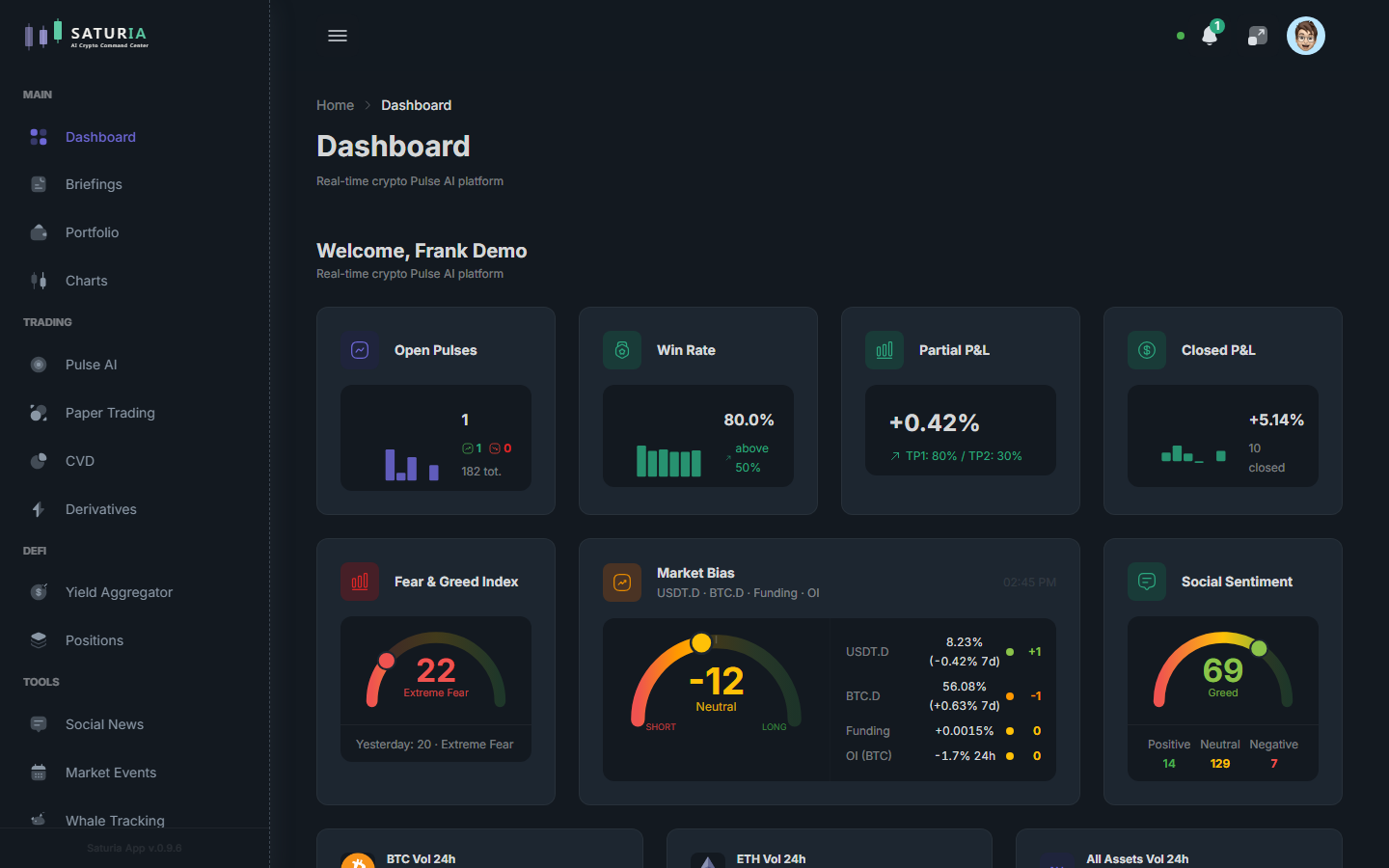
The dashboard shows the most important widgets in a single screen: sentiment indicators, upcoming market events, latest pulses, volumes, crypto heatmap and portfolio summary. Widgets are draggable and resizable in edit mode.
In depth
Philosophy
A useful dashboard isn't one that shows everything — it's one that shows the right things at the right time. Saturia is designed to avoid noise: every widget has a reason to exist, and you can remove anything you don't need. The goal is that within a minute you can tell whether something deserves attention.
Available widgets
Built-in dashboard widgets include:
- Welcome — welcome box with basic account info.
- Fear & Greed — synthetic sentiment index for the crypto market.
- Market Bias — prevailing market direction.
- Crypto Heatmap — asset heatmap with color-coded % change.
- Stat Cards — quick statistics (price, change).
- Volume Widgets — aggregated volume metrics.
- Today Events — market events scheduled for the day.
- Social Sentiment — aggregated social sentiment.
- Pulses — latest Pulse AI signals.
The exact widget list and their options depend on the app version. Not all widgets are necessarily visible to every user on first access.
Edit mode
To customize the dashboard, activate edit mode. In this mode:
- You drag widgets to a new position on the grid.
- You resize widgets across available presets.
- You add or remove widgets from the catalog.
The grid uses the react-grid-layout drag-and-drop system, which ensures smooth responsive behavior. Once out of edit mode, the layout is consolidated and saved.
Layout persistence
Dashboard layout is persisted on the backend and tied to your account, so you find it identical when accessing from another device.
Mistakes to avoid
- Overloading the dashboard — more widgets don't mean more information. Often 6–8 well-chosen widgets beat 20 generic ones.
- Staring only at prices — prices are the output, not the input. Always pair them with event, sentiment and pulse widgets.
Next step
Dive into briefings to see how periodic reports are used, and into Pulse AI to get to the heart of the signal system.